Ever wondered how a VPN keeps your internet activity private? You've probably heard that using a VPN protects your privacy online, but understanding exactly how does a VPN work can feel overwhelming with all the technical jargon. The good news: the basic concept is surprisingly simple once you strip away the complexity.
Ever wondered how a VPN keeps your internet activity private? You've probably heard that using a VPN protects your privacy online, but understanding exactly how does a VPN work can feel overwhelming with all the technical jargon. The good news: the basic concept is surprisingly simple once you strip away the complexity.
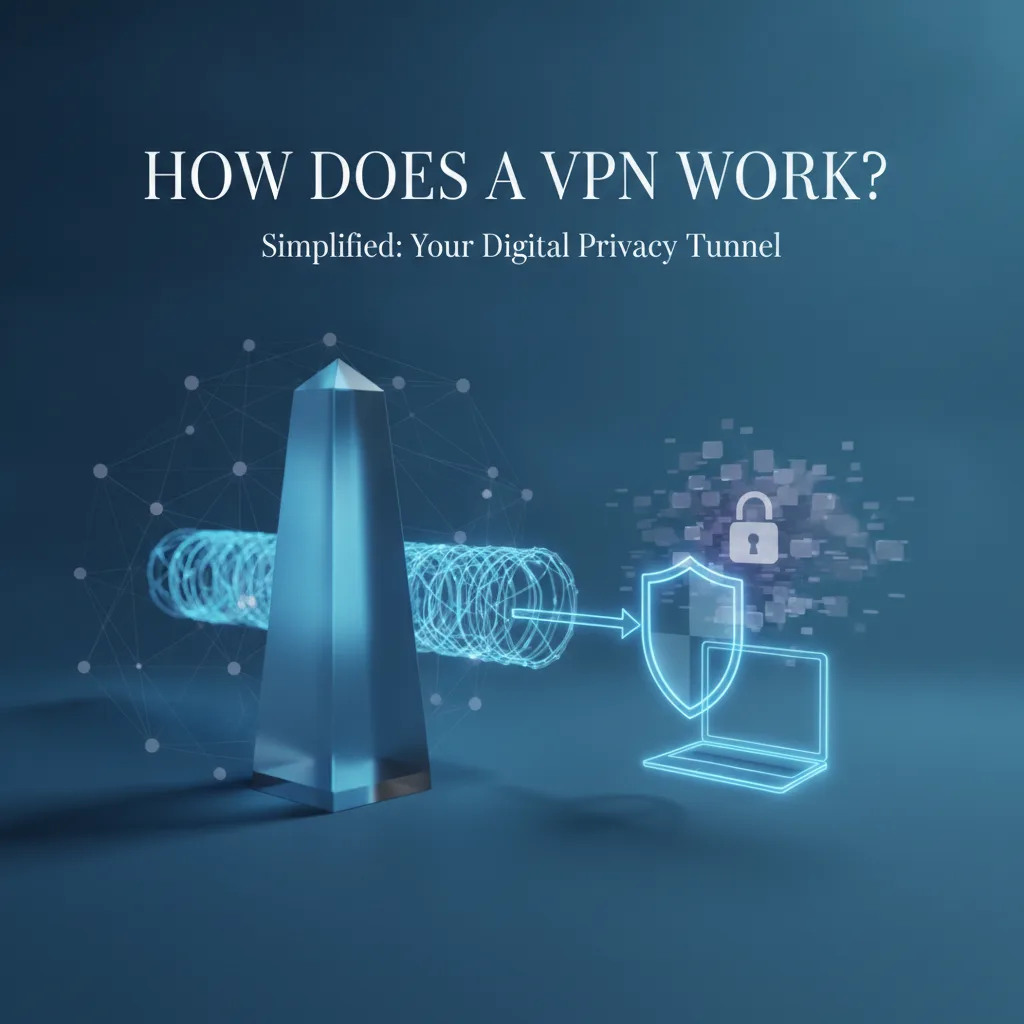
A VPN (Virtual Private Network) creates a secure, encrypted tunnel between your device and the internet. Think of it as a private passageway that keeps your online activity hidden from prying eyes—whether that's your internet service provider, hackers on public Wi-Fi, or websites tracking your location.
Key takeaways:
- A VPN encrypts your data so others can't read your internet traffic
- Your connection routes through a VPN server, hiding your real IP address
- VPNs protect you on public Wi-Fi and prevent ISP monitoring
- Not all VPN services are equal—encryption protocols and privacy policies matter
- VPNs have limitations and don't make you completely anonymous
Ready to understand the technology protecting millions of internet users? Fubble VPN makes this security accessible on all your devices with one-tap connection and WireGuard-class encryption. Let's break down exactly how it works.
The Simple Explanation: VPNs as Secure Tunnels
Before diving into technical details, let's start with a simple analogy anyone can understand.
The Postal Service Analogy
Imagine you're sending a private letter through the mail. Normally, you'd put it in an envelope with the recipient's address visible on the outside. Anyone handling the letter—postal workers, sorters, delivery drivers—can see who you're writing to and where you live, even if they can't read what's inside.
Now imagine you have a trusted courier service that works differently. You seal your letter inside an unmarked envelope, then place that inside another special envelope addressed only to your courier's secure facility. The courier picks it up, takes it to their facility, removes the outer envelope, and then sends your original letter to its final destination from their address—not yours.
That's essentially how does a VPN work. Your internet data (the letter) gets wrapped in encrypted protection (the unmarked envelope), sent through the VPN server (the courier facility), and then forwarded to its destination (the recipient) without revealing your actual location.
What "Virtual Private Network" Actually Means
Let's decode the name itself:
Virtual — It's not a physical network of cables, but a software-based connection created over the existing internet.
Private — Your data is encrypted and isolated from other internet traffic, creating a private channel even though you're using public infrastructure.
Network — It connects your device to other networks (like the internet) through an intermediary server.
When you use a VPN, you're essentially creating a private internet connection within the public internet—a secure pathway that keeps your activity hidden from observers.
The Three Key Components
Every VPN connection involves three essential elements:
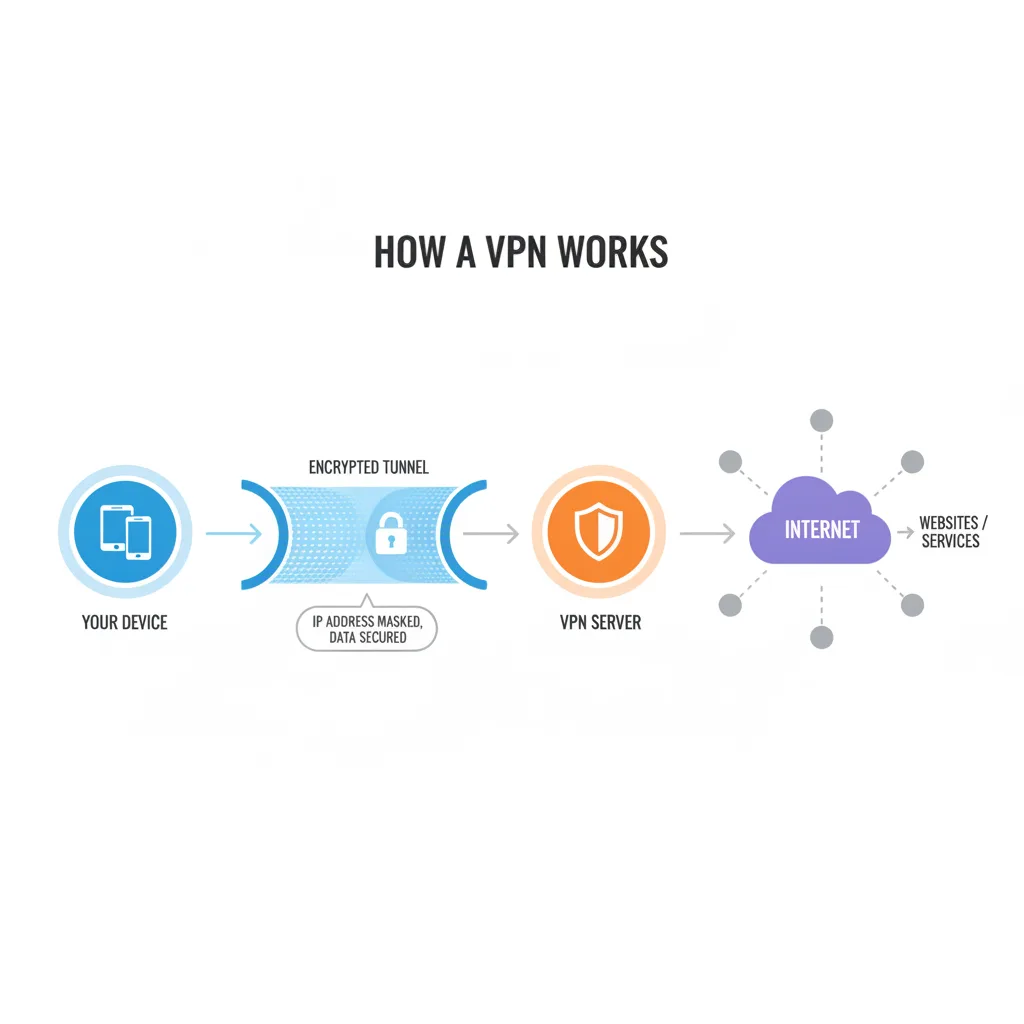
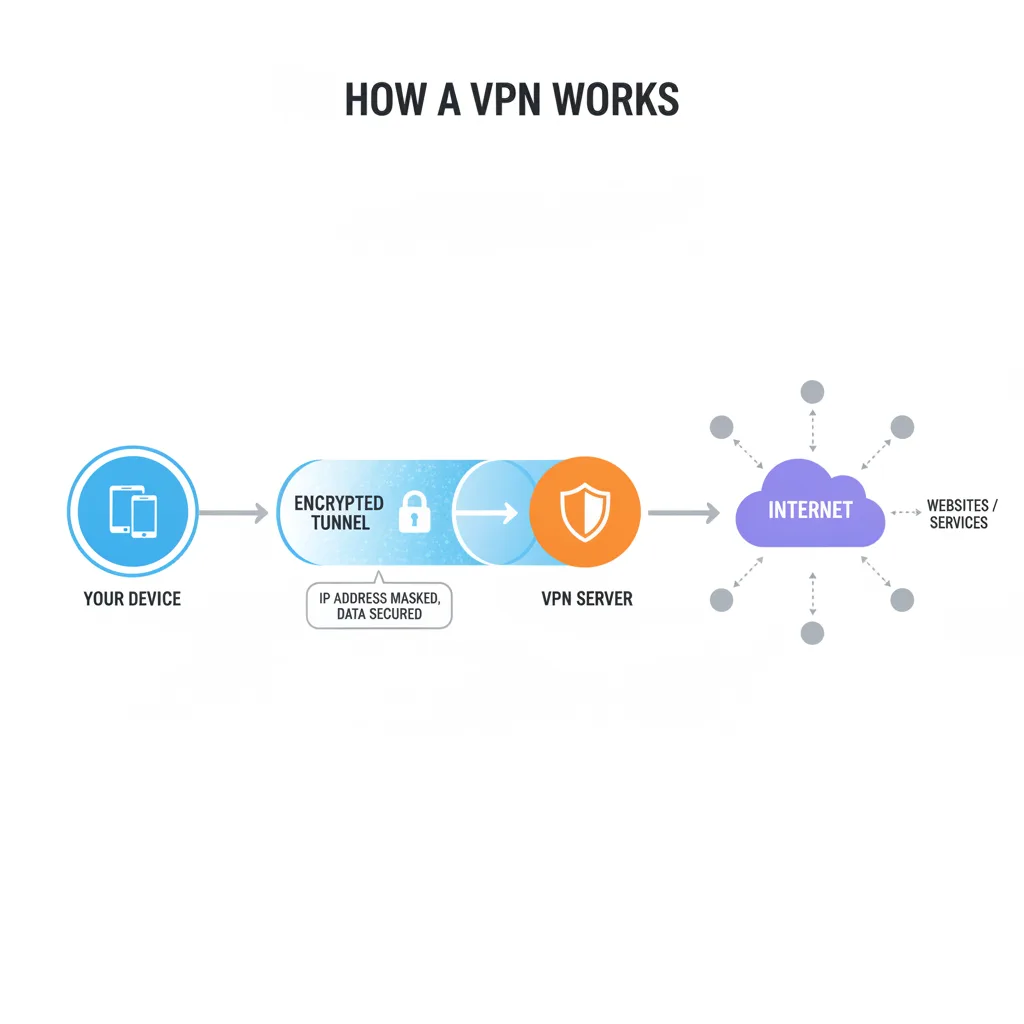
1. Your Device — The laptop, phone, tablet, or computer where you're browsing or using apps 2. VPN Server — A remote server operated by your VPN provider that acts as your intermediary 3. The Internet — The websites, services, and online destinations you're trying to reach
The magic happens in how these three components connect: instead of your device talking directly to the internet, it talks to the VPN server through an encrypted tunnel, and the VPN server handles all internet requests on your behalf.
How a VPN Works: The Step-by-Step Process
Now that you understand the basic concept, let's walk through exactly what happens when you connect to a VPN. This step-by-step breakdown shows how VPN works from the moment you click "connect" to browsing privately.
Step 1: You Connect to a VPN Server
When you open your VPN app and press connect, your device initiates a secure connection to one of your VPN provider's servers. This might be a server in your own country or somewhere across the globe—many services let you choose.
During this handshake process, your device and the VPN server exchange encryption keys and verify each other's identity. This happens in milliseconds but establishes the foundation for your secure tunnel.
Step 2: Your Data Gets Encrypted
Once connected, everything you send over the internet gets encrypted before it leaves your device. Encryption scrambles your data into unreadable code that only the VPN server can decipher using the matching encryption key.
Think of it like translating your message into a secret language that only you and your VPN server understand. Even if someone intercepts your data as it travels across the internet, they'll see gibberish instead of your actual browsing activity, passwords, or personal information.
Step 3: Traffic Routes Through the VPN Server
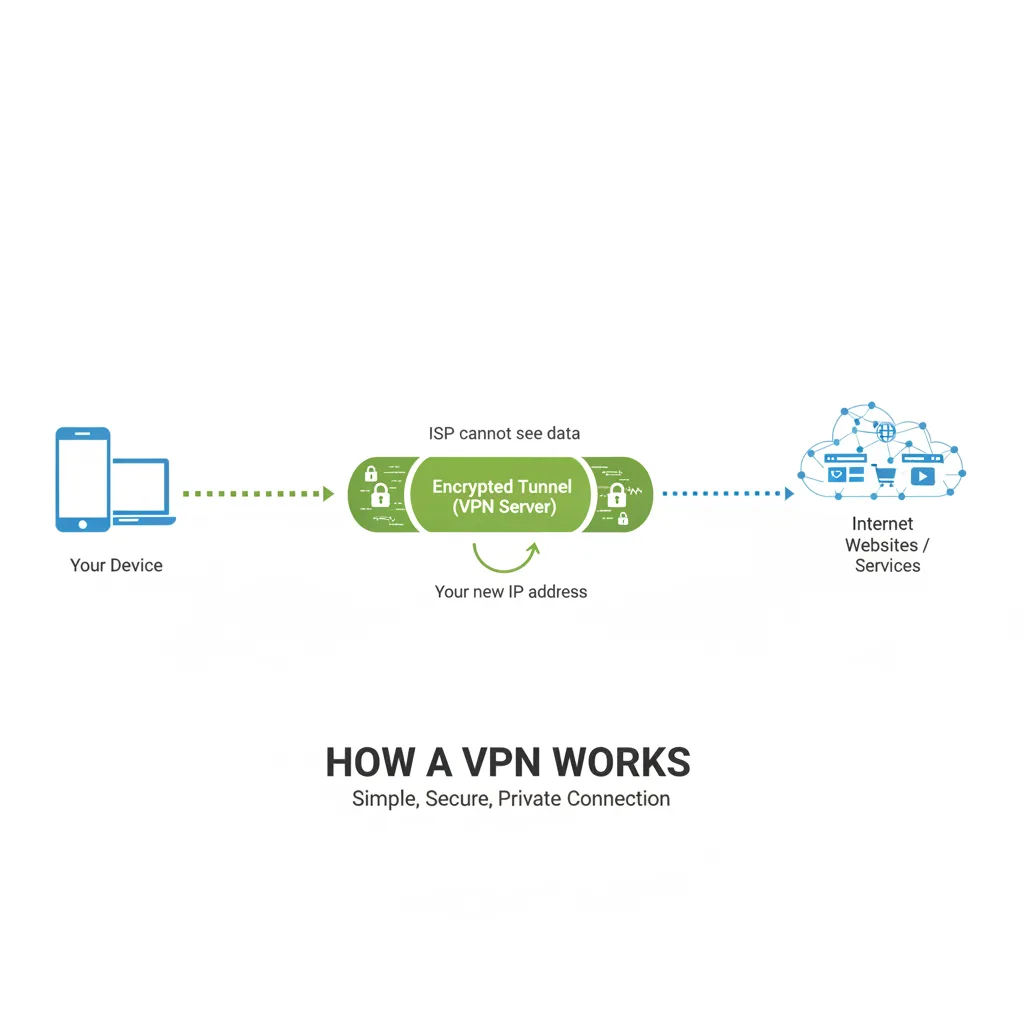
Your encrypted data travels through the internet to the VPN server. Because it's encrypted, your Internet Service Provider (ISP) can see that you're connected to a VPN server, but they can't see what websites you're visiting or what data you're sending and receiving.
The VPN server receives your encrypted data, decrypts it, and then forwards your requests to their intended destinations—whether that's a website, streaming service, or email server.
Step 4: Your IP Address is Hidden
Here's where the privacy magic happens. When the VPN server forwards your request to a website, that website sees the request coming from the VPN server's IP address, not your actual IP address.
Your IP address is like your device's home address on the internet—it reveals your approximate location and identifies your internet connection. By masking it with the VPN server's IP address, you prevent websites from knowing where you're really located or connecting your activity across different sites.
Step 5: You Browse Privately
The return journey works in reverse. When a website sends data back (like the webpage you requested), it goes to the VPN server first. The server encrypts that data and sends it through the secure tunnel to your device, where your VPN app decrypts it and displays it normally.
This entire process happens continuously and automatically for every bit of data you send and receive while connected. The result: you browse the internet with privacy and security that wasn't possible before.
What VPN Encryption Actually Does
You've probably seen VPN services advertise encryption or security claims. But what does encryption really mean in simple terms when it comes to VPN technology?
Encryption Explained in Simple Terms
Encryption is the process of scrambling readable data into unreadable code using mathematical algorithms. Only someone with the correct decryption key can unscramble it back into readable form.
Imagine you write a message where every letter shifts three positions in the alphabet: A becomes D, B becomes E, and so on. "HELLO" becomes "KHOOR." That's encryption—just with vastly more complex mathematical formulas that would take supercomputers thousands of years to crack.
Modern VPN encryption uses algorithms like AES-256 (Advanced Encryption Standard with 256-bit keys). This is the same encryption level that governments use to protect classified information and banks use to secure financial transactions.
Why ISPs and Snoopers Can't Read Your Traffic
When you browse without a VPN, your ISP sees everything: every website you visit, every search you make, every video you stream. They can log this data, throttle certain types of traffic (like streaming or gaming), or sell anonymized browsing data to advertisers.
With VPN encryption active, your ISP sees only encrypted data flowing between your device and the VPN server. They know you're using a VPN but can't see:
- Which websites you're visiting
- What content you're viewing or downloading
- Your search queries or login credentials
- Your messages or emails
The same protection applies on public Wi-Fi networks, where attackers might try to intercept your data. VPNs on Wi-Fi encrypt everything before it leaves your device, making it worthless to attackers even if they manage to capture it.
Common VPN Protocols
VPN protocols are the sets of rules and processes that determine how the encrypted tunnel is created and maintained. Different protocols offer different balances of speed, security, and compatibility:
WireGuard — The newest protocol, known for exceptional speed and modern cryptography. It's streamlined and efficient, making it ideal for mobile devices and high-speed connections. Fubble VPN uses WireGuard-class technology for optimal performance.
OpenVPN — The veteran protocol, open-source and highly secure. It's been battle-tested for years and works on virtually any device, though it can be slower than newer options.
IKEv2/IPsec — Popular on mobile devices for its stability when switching between Wi-Fi and cellular data. It quickly reconnects if your connection drops, making it reliable for VPN for travel.
Most modern VPN apps automatically select the best protocol for your device and network conditions, so you don't need to worry about the technical details.
What a VPN Hides (and What It Doesn't)
Understanding VPN limitations is just as important as knowing its benefits. Let's be honest about what VPNs can and can't protect.
What VPNs Protect: IP Address, Browsing Activity, Location
A VPN successfully hides:
Your IP address — Websites see the VPN server's IP instead of yours, preventing location-based tracking and making it harder to identify you personally.
Your browsing history from your ISP — Your internet provider can't see which websites you visit or log your online activity when you're connected to a VPN.
Your approximate physical location — Since your IP address is masked, websites can't determine your city or region (though they might detect you're using a VPN).
Your data on public networks — Encryption protects you from attackers on coffee shop Wi-Fi or hotel networks who might try to steal passwords or credit card information.
Unencrypted internet traffic — A VPN encrypts data that would otherwise travel in plain text, protecting it from interception.
What VPNs Don't Hide: Account Logins, Cookies, Malware
VPNs have important limitations:
Account logins — If you log into Facebook, Google, or any online account, that service knows who you are regardless of your IP address. Your VPN doesn't make you anonymous to platforms where you're signed in.
Cookies and browser tracking — Websites can still use cookies, browser fingerprinting, and tracking pixels to follow you across the web. Your VPN doesn't block these tracking methods.
Malware and viruses — A VPN encrypts your connection but doesn't protect against malicious software. You still need antivirus software and safe browsing habits.
Activity from your VPN provider — Your VPN provider can technically see your internet traffic since it passes through their servers. This is why choosing a reputable provider with a strict no-logs policy matters.
DNS leaks and WebRTC leaks — If your VPN is improperly configured, your real IP address might leak through DNS queries or WebRTC connections. Quality VPN apps like Fubble prevent these leaks automatically.
VPN Limitations You Should Know
Not complete anonymity — VPNs provide privacy, not anonymity. Determined adversaries with sufficient resources might still track you through device fingerprinting, social engineering, or legal pressure on VPN providers.
Can't bypass all geo-restrictions — While VPNs help access content in different regions, some streaming services actively detect and block VPN traffic. Success varies by provider and server.
Requires trust in your provider — Since your traffic flows through the VPN company's servers, you're essentially shifting trust from your ISP to your VPN provider. Choose carefully based on privacy policies and jurisdiction.
Doesn't protect against human error — If you accidentally click a phishing link or download suspicious files, your VPN won't prevent the consequences. Learn more about VPN downsides to set realistic expectations.
Real-World Examples: When VPNs Work
Understanding abstract concepts is one thing, but let's look at concrete situations where VPNs make a practical difference.
Public Wi-Fi Protection Scenario
Sarah is working from a busy coffee shop, accessing her company's confidential files and checking her bank account over the shop's public Wi-Fi. Without a VPN, anyone else on that network with basic tools could potentially intercept her unencrypted traffic—capturing passwords, session cookies, or sensitive work data.
With a VPN active, all her data is encrypted before it leaves her laptop. Even if an attacker captures her traffic, they see only encrypted data. Her company data stays confidential, and her bank login credentials remain secure.
Accessing Content While Traveling
Marcus is traveling abroad and wants to watch his favorite shows on his home country's streaming services. Many streaming platforms restrict content based on your IP address location—when he tries to access his account, he gets blocked with a "not available in your region" message.
By connecting to a VPN server in his home country, Marcus's traffic appears to come from there instead of his travel destination. The streaming service sees a domestic IP address and grants access to the full content library he pays for at home.
Preventing ISP Throttling
Jennifer notices her internet slows to a crawl every evening when she's streaming video or gaming online. Her ISP is selectively throttling bandwidth for these high-usage activities to manage network congestion.
When she connects to a VPN, her ISP can no longer identify the type of traffic she's generating—they see only encrypted data. Unable to distinguish streaming from regular browsing, they can't selectively throttle her connection. Her speeds improve significantly.
Remote Work Security
David works remotely and frequently accesses his company's internal systems. His employer requires VPN use to ensure that the connection between his home computer and company servers remains secure, especially since he sometimes works from hotels or coworking spaces.
The VPN creates an encrypted tunnel that protects sensitive business data from interception, satisfies compliance requirements, and allows him to access resources as if he were physically in the office network. Discover more about VPN for remote work scenarios.
How to Start Using a VPN (Beginner-Friendly)
Ready to try VPN technology yourself? The process is straightforward, even if you're not tech-savvy.
Choosing a VPN Service
Your first decision is which VPN provider to use. Key factors to consider:
Privacy policy — Look for a strict no-logs policy meaning the provider doesn't store records of your browsing activity. Avoid free VPNs that often monetize by selling user data.
Speed and performance — Modern protocols like WireGuard offer better speeds than older technology. Read reviews about connection reliability and bandwidth.
Server locations — More servers in diverse locations give you better options for accessing content and finding fast connections.
Device compatibility — Ensure the service works on all your devices. Most providers offer apps for iPhone, Android, Mac, and PC.
Price and value — Compare free vs paid VPN options. Paid services typically offer better speeds, security, and customer support.
Installing the App
Once you've chosen a provider:
1. Create an account on the VPN provider's website 2. Download the app for your device from the official website or app store 3. Install the app following standard installation procedures 4. Log in using your account credentials
The entire process usually takes just a few minutes. Reputable providers like Fubble VPN make installation as simple as any other app.
Connecting to a Server
Using a VPN is typically as easy as:
1. Open the VPN app on your device 2. Choose a server location (or let the app auto-select the fastest one) 3. Tap or click the "Connect" button 4. Wait a few seconds for the encrypted tunnel to establish
That's it. Once connected, all your internet traffic automatically routes through the VPN. Most apps show your connection status clearly—you'll see indicators like "Protected" or "Connected" along with the server location you're using.
Verifying Your VPN Connection
To confirm your VPN is working properly:
Check your IP address — Visit a website like "What is my IP" before and after connecting. Your IP address should change to match the VPN server's location. Try Fubble VPN's IP leak test tools for comprehensive verification.
Use leak tests — Online tools can verify that your real IP isn't leaking through DNS or WebRTC.
Confirm encryption — Your VPN app should display connection details including the protocol in use and encryption status.
If you notice your real IP address is still visible or speeds are unusually slow, try disconnecting and reconnecting, switching servers, or contacting your provider's support team.
Experience secure browsing with Fubble VPN on all your devices. One-tap connection, automatic leak protection, and WireGuard-class speed make privacy accessible to everyone—no technical expertise required.
Frequently Asked Questions
Does a VPN slow down my internet?
Yes, VPNs typically cause some speed reduction because your data takes a longer path (routing through the VPN server) and requires encryption/decryption processing. However, modern protocols like WireGuard minimize this impact significantly.
In practice, you might see 10-20% speed reduction with a quality VPN service, though this varies based on server distance and network conditions. Sometimes VPNs can actually improve speeds if your ISP was throttling certain traffic types.
For most activities like browsing, streaming, and video calls, the speed difference is negligible with a good provider.
Can a VPN be hacked?
While no technology is 100% hack-proof, modern VPN encryption is extremely secure. Breaking AES-256 encryption would require computational resources and time far beyond what's feasible today—even for well-funded attackers.
The bigger risks come from VPN provider vulnerabilities (insecure apps, logging policies, or server breaches) rather than the encryption itself. This is why choosing a reputable provider with strong security practices matters.
Additionally, VPNs protect against common threats like Wi-Fi eavesdropping and ISP monitoring. They significantly improve your security compared to browsing without protection.
Do I need a VPN at home?
Even on your home network, a VPN provides valuable benefits:
Privacy from your ISP — Your internet provider can see and log all your browsing activity on your home network. A VPN prevents this monitoring.
Preventing throttling — Some ISPs slow down streaming or other high-bandwidth activities. VPNs can bypass these restrictions.
Accessing geo-restricted content — Many streaming services offer different content libraries based on your location. A VPN lets you access content from other regions.
General privacy — Websites can't track your real IP address or location when you browse through a VPN.
However, VPNs are less critical at home than on public Wi-Fi, where the risk of interception is much higher. The choice depends on your privacy priorities and specific use cases like streaming.
Is using a VPN legal?
Using a VPN is legal in most countries, including the United States, Canada, the UK, and most of Europe. VPNs are legitimate privacy tools used by businesses, journalists, and everyday consumers.
However, a few countries restrict or ban VPN use, including China, Russia, Iran, and UAE. Even where VPNs are legal, using them for illegal activities (hacking, copyright infringement, etc.) remains illegal—the VPN doesn't change the legality of your actions.
Always check local regulations when traveling, as VPN legality varies by jurisdiction. This article provides general information, not legal advice for your specific situation.
What's the difference between free and paid VPNs?
Free VPNs often come with significant limitations:
Privacy concerns — Many free VPNs monetize by logging and selling user data, defeating the purpose of privacy protection.
Speed and bandwidth caps — Free services typically impose data limits or slow speeds to encourage upgrading.
Fewer servers and locations — Limited server options mean slower connections and fewer choices for geo-unblocking.
Weaker security — Some free VPNs use outdated protocols or inadequate encryption.
Ads and tracking — Free apps often include advertising and tracking embedded in the software.
Paid VPNs like Fubble VPN offer better speeds, stronger privacy policies, more servers, reliable customer support, and advanced features like automatic leak protection. For the modest cost—typically less than a coffee per month—paid services provide dramatically better security and performance.
---
Disclaimer: This article provides general information about VPN technology for educational purposes. It is not legal, security, or professional advice. VPN effectiveness and legality vary by jurisdiction and use case. Always comply with applicable laws and terms of service.